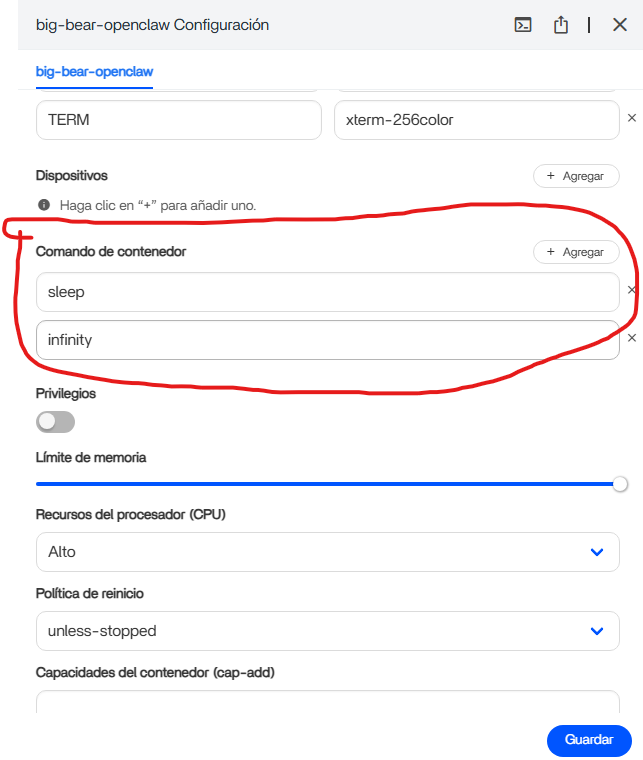
still getting the loop, even though I added GATEWAY_MODE = local and I did the chown command then tried the onboard without root and nothing, so I tried in root again and got
root@ZimaOS:/root ➜ # docker exec -it big-bear-openclaw npx openclaw onboard
npm error code EPERM
npm error syscall chmod
npm error path /home/node/.npm/_npx/031deadc2d8927ce/node_modules/openclaw/openclaw.mjs
npm error errno -1
npm error
npm error Your cache folder contains root-owned files, due to a bug in
npm error previous versions of npm which has since been addressed.
npm error
npm error To permanently fix this problem, please run:
npm error sudo chown -R 1000:1000 “/home/node/.npm”
npm error A complete log of this run can be found in: /home/node/.npm/_logs/2026-02-09T13_26_52_969Z-debug-0.log
root@ZimaOS:/root ➜ # sudo chown -R 1000:1000 “/home/node/.npm”
chown: cannot access ‘/home/node/.npm’: No such file or directory
npm error code EPERM
npm error syscall chmod
npm error path /home/node/.npm/_npx/031deadc2d8927ce/node_modules/openclaw/openclaw.mjs
npm error errno -1
npm error
npm error Your cache folder contains root-owned files, due to a bug in
npm error previous versions of npm which has since been addressed.
npm error
npm error To permanently fix this problem, please run:
npm error sudo chown -R 1000:1000 “/home/node/.npm”
npm error A complete log of this run can be found in: /home/node/.npm/_logs/2026-02-09T13_26_52_969Z-debug-0.log
npm give You advice to run command (bold text again) to run it inside container.
But instead of it, You run it in ZimaOS (Host)- see bold text: root@ZimaOS:/root ➜ # sudo chown -R 1000:1000 “/home/node/.npm”
output:
chown: cannot access ‘/home/node/.npm’: No such file or directory
Output is of course telling You there is no such directory. This directory is expected inside container.
Hi everyone!
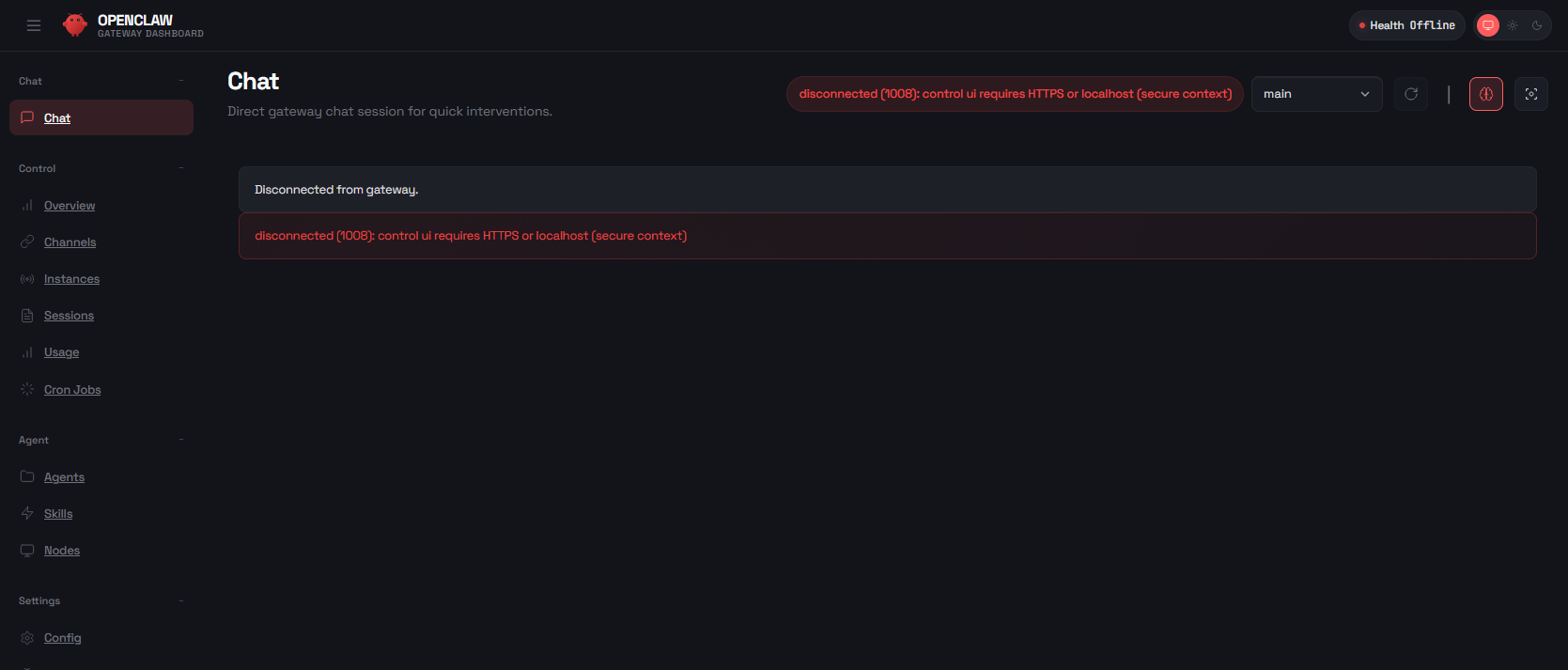
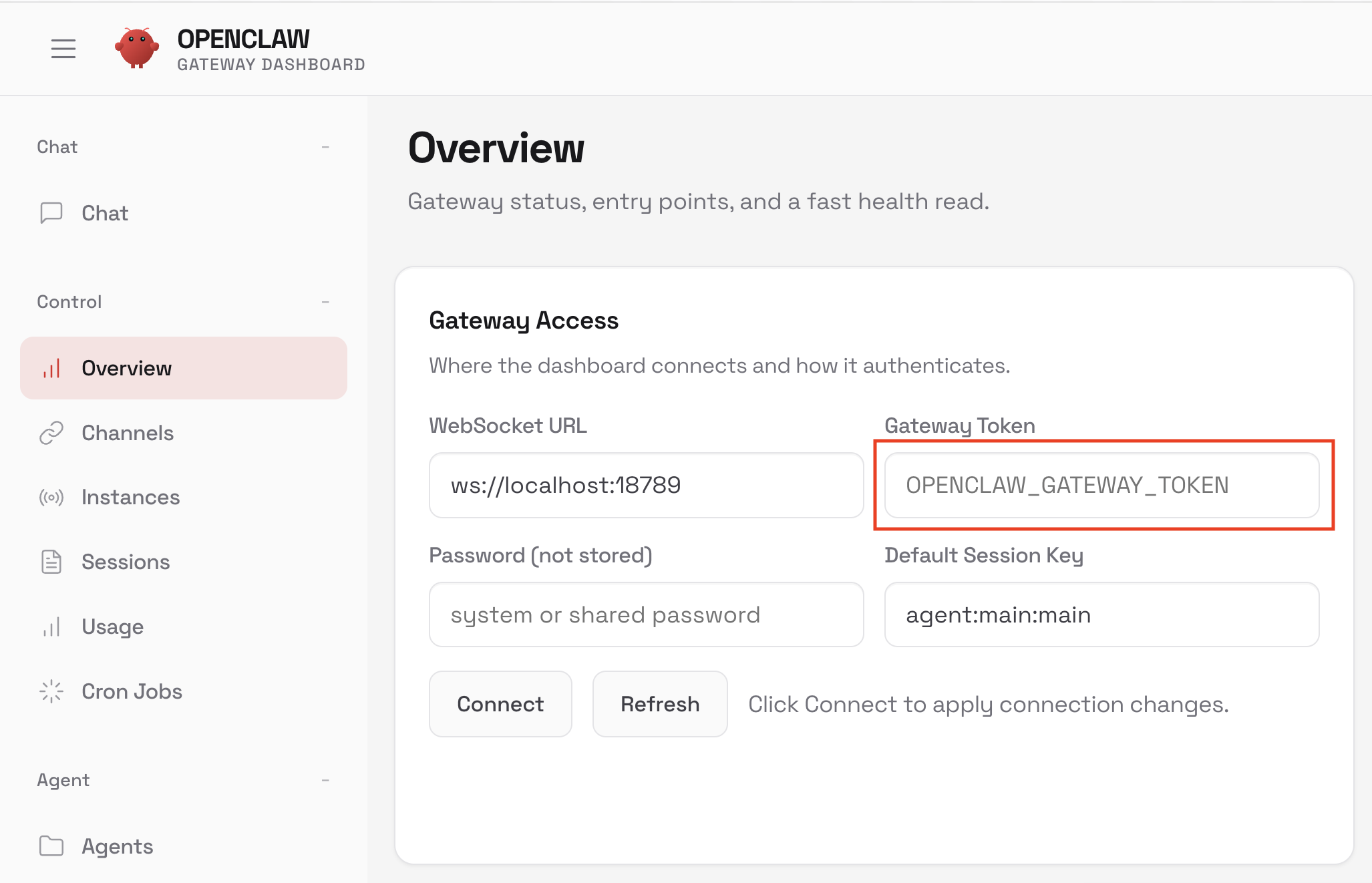
I’m trying to access the UI but I get this error. I’ve already turned on ssh and https in the developer settings, also https in openclaw settings , but I get the same result.
Is there a way to handle this?
Thanks for trying, but I can’t get this to work. Not a huge deal, I MAY end up switching the OS of my server to a more traditional Linux at some point, maybe I’ll try again then.
developer settings, also https in openclaw settings
I do not see it, but I guess these are only checkboxes for waiting for https.
You need TLS certificate for starting https connection. The easiest way is install NPM (Nginx Proxy Manager; or NPMPlus), It offers You create or use existing certificate.
For creating new certificate (it calls certbot), You need public accessible server (www domain). But You can also create self-siged cert in CLI, not NPM[Plus] web UI.
No matter how much I tried to use Linux or programs for it, it was never easy to do anything. I spent a whole day on it, but I still couldn’t get OpenClaw to work. All these Open Source add-ons are complete crap, without exaggeration.
Maybe this is for own thread in forum. Not here… But You can switch point of view… This is about:
how we start- Who tech us on what kind of SW? Windows are dominant in school, YTB, …
who help us- people in forum know only Windows, YTB only Windows… sometimes Mac…
Linux is definitely dominant in server side, not Desktop. Guess why. Yes, two points you read it. And Learning curve for Linux is longer, slowest then Windows.
CasaOS and BigBearTech are two examples of how we try (we are limmited people) to change the world It is open source. You can improve it. Better source code, better graphics, better translation, better support in forum, … It is all about us…
Describe what is Your error and we try to help You more.
Linux is for long way to learn… I lost my data many time… First time when I setup WG Easy (VPN) on CasaOS spend 3 days… Now minutes. And this is Linux/casaOS. It’s for self-hosted enthusiast with free time to play and learn.
Do You know, that Umbrel OS can be installed via CasaOS with Big Bear Tech repo? And here in Umbrel OS is also possible install OpenClaw. Try here.
Logre instalar openclaw en ZimaOS con el comando sleep el contenedor simplemente se queda “encendido esperando” luego ejecuto docker exec -it big-bear-openclaw /usr/local/bin/node dist/index.js onboard para terminar el proceso de onboard
This can be run, but is not working for me on CasaOS. I tried every advice here in thread, but on CasaOS is not working.
Container is running, not restarting in loop. Onboard was successful - openclaw.json was generated. Docker log is completely empty, firewall rule is here. But cannot open IP_srv:18789
When I remove “sleep infinity” I got in docker log:
Gateway failed to start: Error: non-loopback Control UI requires gateway.controlUi.allowedOrigins (set explicit origins), or set gateway.controlUi.dangerouslyAllowHostHeaderOriginFallback=true to use Host-header origin fallback mode

 It is open source. You can improve it. Better source code, better graphics, better translation, better support in forum, … It is all about us…