Added Joplin Server to BigBearCasaOS

About

Joplin is an open-source note-taking application that allows users to take notes, create to-do lists, and sync notes across devices. It supports multimedia notes, math expressions, and diagrams. Users can customize the app with plugins, themes, and text editors. Notes can be accessed from various devices through synchronization with services like Joplin Cloud, Dropbox, and OneDrive

Suggested by

Commit

App Store

Instructions

You will need to go into the App Settings in CasaOS, then change APP_BASE_URL to http://[REPLACE_WITH_YOUR_CASAOS_IP]:22300.

The username and password are:

admin@localhost / admin

2 Likes

hi. why does this installation use florider89/joplin-server image instead of the original joplin/server?

florider89/joplin-server Supports ARM last time I looked.

1 Like

Hi, i’ve installed joplin but the email configuration does not work. When i putv my email address and password i should receive an email but i got nothing. Can someone can help me?

The APP doesn’t seem to work any more. I built a docker compose and installed manually.
Default Email:admin@localhost

Default Password:admin

name: joplin-server
services:
  joplin-app:
    cpu_shares: 90
    command: []
    container_name: joplin-app
    depends_on:
      joplin-db:
        condition: service_started
        required: true
    deploy:
      resources:
        limits:
          memory: 15841M
    environment:
      - APP_BASE_URL=http://<YOUR_CASAOS_IP>:22300
      - APP_PORT=22300
      - DB_CLIENT=pg
      - POSTGRES_DATABASE=joplin
      - POSTGRES_HOST=joplin-db
      - POSTGRES_PASSWORD=joplin
      - POSTGRES_PORT=5432
      - POSTGRES_USER=joplin
    hostname: joplin-app
    image: joplin/server:latest
    labels:
      icon: https://joplinapp.org/images/Icon512.png
    ports:
      - mode: ingress
        target: 22300
        published: "22300"
        protocol: tcp
    restart: unless-stopped
    volumes:
      - type: bind
        source: /DATA/AppData/joplin-server/joplin-data
        target: /home/joplin/.joplin
        bind:
          create_host_path: true
    x-casaos:
      envs:
        - container: APP_BASE_URL
          description:
            en_us: Base URL of your Joplin server
        - container: POSTGRES_PASSWORD
          description:
            en_us: Database password
      ports:
        - container: "22300"
          description:
            en_us: WebUI Port
      volumes:
        - container: /home/joplin/.joplin
          description:
            en_us: App Data Directory
    devices: []
    cap_add: []
    networks:
      - joplin-app
    privileged: false
  joplin-db:
    cpu_shares: 90
    command: []
    container_name: joplin-db
    deploy:
      resources:
        limits:
          memory: 15841M
    environment:
      - POSTGRES_DB=joplin
      - POSTGRES_PASSWORD=joplin
      - POSTGRES_USER=joplin
    hostname: joplin-db
    image: postgres:15
    labels:
      icon: https://joplinapp.org/images/Icon512.png
    restart: unless-stopped
    volumes:
      - type: bind
        source: /DATA/AppData/joplin-server/db-data
        target: /var/lib/postgresql/data
        bind:
          create_host_path: true
    ports: []
    devices: []
    cap_add: []
    networks:
      - joplin-app
    privileged: false
networks:
  joplin-app:
    name: joplin-app
x-casaos:
  architectures:
    - amd64
    - arm64
  author: Joplin Team
  category: Notes
  description:
    en_us: Joplin Server is the sync and collaboration backend for the Joplin
      note-taking app.
  developer: Laurent Cozic
  hostname: ""
  icon: https://joplinapp.org/images/Icon512.png
  index: /
  is_uncontrolled: false
  main: joplin-app
  port_map: "22300"
  scheme: http
  store_app_id: joplin-server
  tagline:
    en_us: Self-hosted Joplin sync server
  title:
    custom: ""
    en_us: Joplin Server

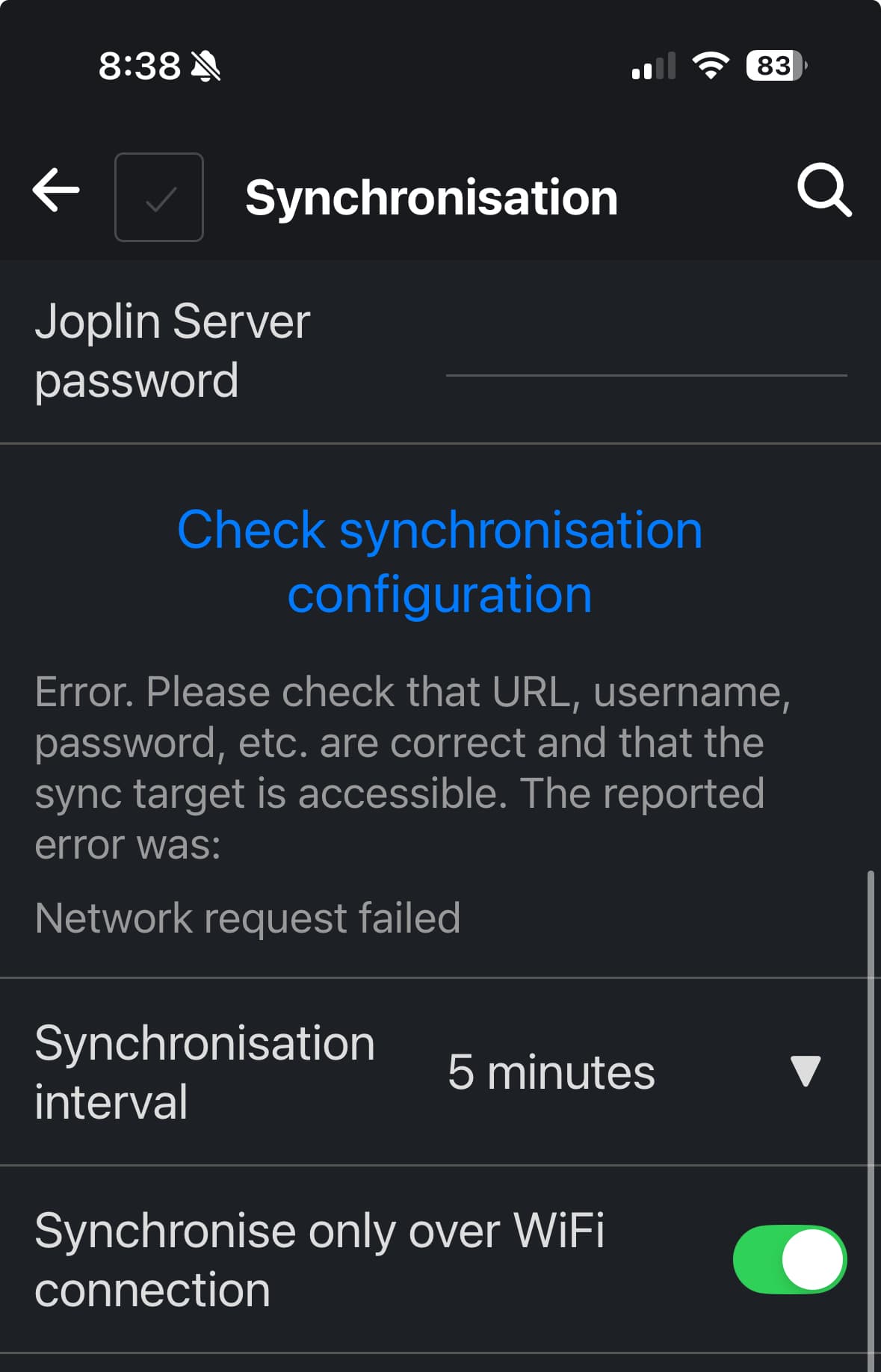
I’m having a sync issue with Joplin on my iPhone 15. The Joplin app syncs fine on my Mac Mini with the same configuration. But I get Network Request Failed errors on my iPhone.

Hi robmcbryde and welcome here!

Did Your casaOS server’s OS use some kind of firewall? Like ufw or iptables?

Does Your Joplin server setup as IP addr:port or are You using some hostname? Can Your Iphone open IP-Joplin-Srv:port in browser?

No firewall. But thankfully simply reinstalling the app in CasaOS and trying the sync again resolved the issue. :slight_smile:

1 Like

has anyone got this working on ZimaOS ZimaCube? It fails to get to the login page on 1st launch after installing and setting the correct IP instead of localhost

edit: the logs were showing: App: ::ffff:172.19.0.1: Invalid origin: http://127.0.0.1:22300: GET / (404) (1ms) repeatedly

i tried accessing directly at http://192.168.68.83:22300 and it worked fine.

any idea what is happening here and how to fix? it’s as if the zimaos is trying to visit the wrong URL but I can’t see how to fix that

Hi @simon and welcome here!

When I install app as Custom Install (or later after installation, edit App Settings). This “localhost” word rewrite to Your IP address of server.

And it works. When I click on app Joplin server, http://IP:22300 is opening.

Hey thanks

That’s what I did and the issue above happens. It won’t launch from zimaos. Only when I manually type the IP.

I tried it on CasaOS via Custom install. Maybe it has bug, later cannot be changed… (bad reading env var and setup later, only during first install).

But I suggest You to generate and use self-signed certificate. Use it in NPM (Nginx Proxy Manager) / NPMPlus. And You can use https in LAN.

You can forget to use IP:port, simply use https://joplin.lan.internal or https://joplin.home.internal (what You want).

These URLs You can put on Your dashboard, using Homarr (or another apps). Or in internet browser there is plugin Group Speed Dial.

hmm I tried custom install on zimaos and changed the URL during install. I’m not clear if you’re saying this worked for you or not? It did not for me.

Outside of the workarounds you suggest - is this the correct place for the bug to be reported or should I submit it somewhere else? I’m quite new to home servers/docker/zimaos+casaos/bigbear.

For your suggestion of a self signed certificate - why do you suggest this? I’m not clear how it would fix my issue?

Those 2 Joplin addresses do not work for me at all.

Homarr looks great as something if I had a lot to add - but feels a bit much just to correct this 1 buggy app. I can just add a favourites bar link for now in Chrome but I’d rather get the app working in ZimaOS.

For the bug reporting to be fixed in the app - it seems like the Joplin Docker app directs to

http://192.168.68.83/modules/icewhale_app/#/launch?appDetailData={“app_type”%3A"v2app",“author_type”%3A"community",“hostname”%3A"192.168.68.83",“icon”%3A"https%3A%2F%2Fcdn.jsdelivr.net%2Fgh%2Fselfhst%2Ficons%2Fpng%2Fjoplin.png",“image”%3A"joplin%2Fserver%3A3.5.2",“index”%3A"%2F",“is_uncontrolled”%3Afalse,“name”%3A"big-bear-joplin",“port”%3A"22300",“scheme”%3A"http",“status”%3A"running",“store_app_id”%3A"big-bear-joplin",“title”%3A{“custom”%3A"“,“en_us”%3A"joplin”}}

; if this is useful?

Thank you

Hi.

Yes, Custom install works for me on CasaOS, just replace (I give You screenshot) “localhost” to IP of server in section Env. variables during install and that’s it.

When You click on App icon in ZimaOS/CasaOS IP:port is opening and just http is establishing.

Some apps warns You about danger protocol. Http is unencrypted. When You start using self-signed cert + NPM[Plus], You will use some handy, good to remember URLs in You HomeLAB LAN like: https://friendlyname.lan.internal - lan.internal is my LAN, You cannot access it (I give You: joplin.lan.internal as example).

Maybe https is far faw away from Your starting point right now. But I mention You it now… Try to not fix Your life on CasaOS/ZimaOS Apps icons. Because click on App icon open http://IP:port, not https://friendlyname…

So use homaArr or bookmarks…

You can try to search solution of your problem on ZimaOS forum. This forum is BigBearTech, it is only one repo (from many), available to add to CasaOS/ZimaOS (and many more, like UmbrelOS etc.).

We are willing to help You, but as I mentioned, Custom install works. I do not know how to debug it more. Try to search in container log. Install app Dozzle (in App Store), it is handy for explore logs.

Thanks for your reply. very strange it works for you on casaOS but not me on ZimaOS. (yes i said in my OP that I had changed the setting to the correct IP instead of localhost). I also tried uninstalling and reinstalling but the issue persists. It would be great if someone else could test with zimaos too. I wonder if it didn’t properly uninstall before.

im aware of https but don’t need that right now - i was unsure what the relevance was. I thought you were suggesting Joplin only worked on https. I tried zimaos forum first but can’t find anyone else with the issue. My understanding is as this is a bigbear docker app it would be bigbear that would need to bug fix too.

i’ll have a look in the logs and see if i can figure it out :slight_smile: i think i need to figure out how to get the docker app in zimaos/casaos to re-check the app_base_url setting. it works for everything else apart from Joplin which is strange!

@simon

Did Your uninstallation was with marked checkbox “remove all saved data” on that dialog? (always test clear install).

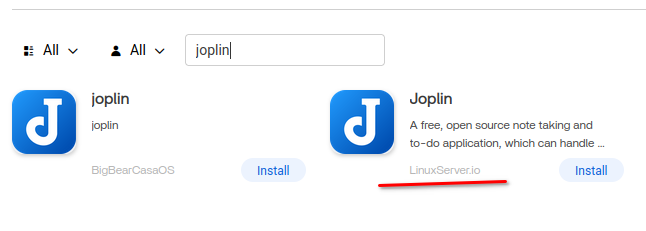
You can add another repository then BigBearTech. Visit this site. Choose #1, which is LinuxServer.io, there is also Joplin server, but in newer (minor) version. You can try installation from this repo. I have this repo added, it is safe. My test was only Joplin version installation from BigBearTech store…

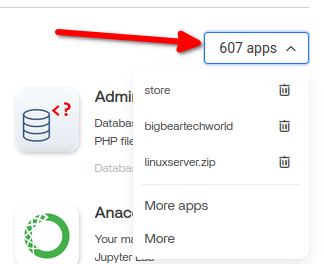
Adding new repo is very simply, copy url on that new repo. Go App Store, choose comboxbox,
and click “More Apps”:

Joplin server works with http, my mention about https was about Your future path.

Please if someone else can test Joplin server installation from BigBear repo on ZimaOS and write feedback here. THX.