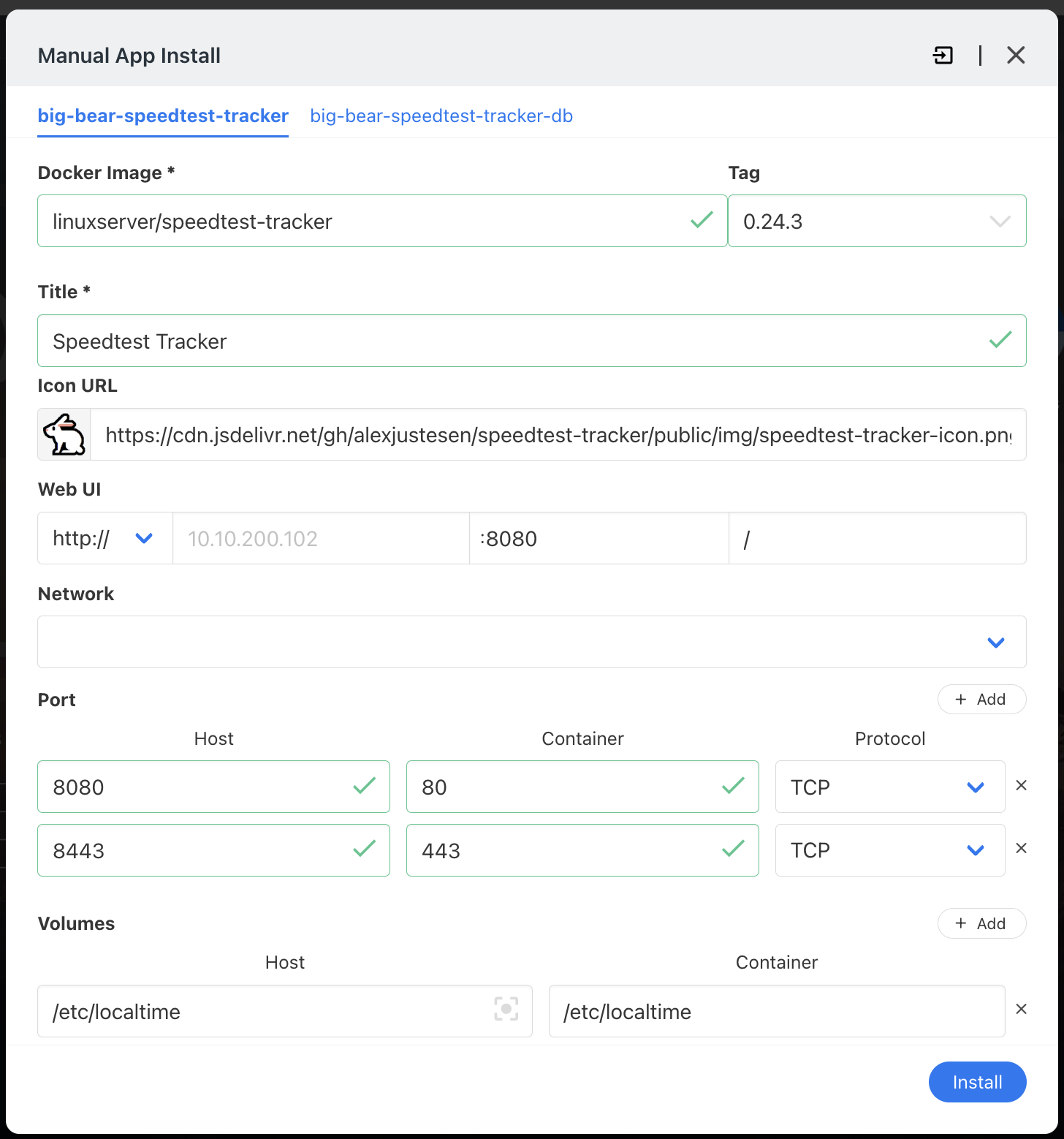
Discover How to Install Speedtest Tracker 2 on CasaOS using our App Store BigBearCasaOS!  In this tutorial, we’ll walk you through the process, step by step, ensuring you’re set up and ready to go in no time.

Discover How to Install Speedtest Tracker 2 on CasaOS using our App Store BigBearCasaOS! In this tutorial, we’ll walk you through the process, step by step, ensuring you’re set up and ready to go in no time.
I’m at my witts end, as no matter what I do I’m unable to get this working on a brand new install of CasaOS on Ubuntu VM. Please help!
Default BigBear Speedtest Track install
CasaOS - Changed default Port from 80 to 8778
When launching the app:
# This site can’t be reached

**10.10.200.102** refused to connect.

Try:

* Checking the connection
* [Checking the proxy and the firewall](chrome-error://chromewebdata/#buttons)

ERR_CONNECTION_REFUSED
Hello, can you install Dozzle and post any errors?
Make sure you go into the Dozzle settings and turn on Stopped Containers.