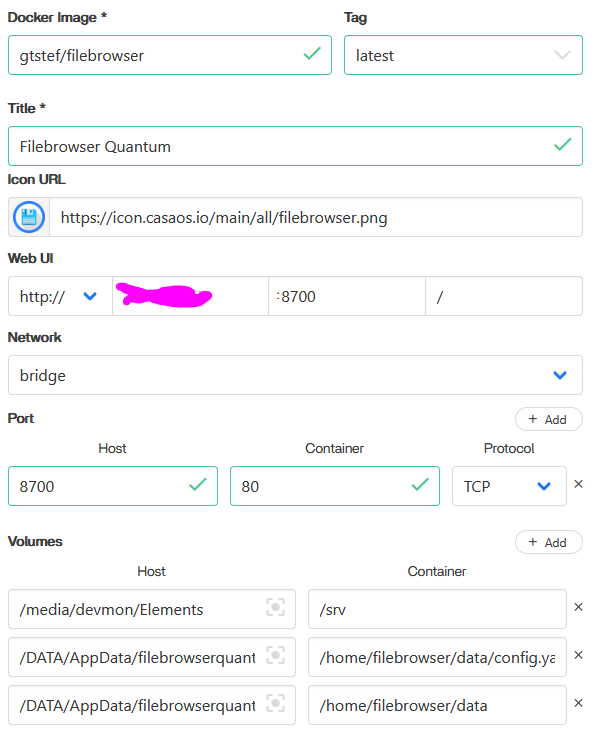
Ive spent a bit trying to install this but to no avail. for some reason the config files are in random folders and i cannot edit them or else whole app just destroys itself lol. if you could add this so its easier for people to install that would be great! It is a improved fork of the normal filebrowser with more features and improvements due to filebrowser no longer receiving updates.
Hello PunchmadeDav.
First of all thank you for tip to this SW. It is status beta, but seems to be nice piece of work!
I spent a little bit time with this app. But I think, it is stable (in way You mentioned) - no change config folder.
First time app start, create index of all files and folders for future quick search. It depends on HW resource and amount of disk space usage… It create file inside container: /home/filebrowser/database.db and that’s it. Next time, when You change some on docker.yaml (App Settings in web UI casaOS), docker engine rebuild this container and give him another docker container id when starts. So for app itself it is first time start and rebuild index again- once again creating database file happen. This is default docker behavior.
When we want changes permanent, we must create docker volumes:
HOST / container
/media/username/ccbb76c6-2222-4444-9d9c-83015e64ccdd /srv
# documentation mention to NOT use / on Host. Always sub-folder
/DATA/AppData/test-files-quantum /home/filebrowser/data
And that’s it.
Documentation mentioned to use config.yaml file using env variable, but if I use it and change something in web UI Settings, it write nothing to config.yaml (but docker Logs tell me, config.yaml is ok when container starts). I think it may store config to database.db…
Here is my complete docker.yaml file, I hope I do not missed something and enjoy this nice SW.
Pre-requisites:
mkdir /DATA/AppData/test-files-quantum
touch /DATA/AppData/test-files-quantum/config.yaml
Default name & password: admin / admin. But You can define another password in env variable: FILEBROWSER_ADMIN_PASSWORD
files_quantum.yaml:
name: files_quantum
services:
  main_app:
    cpu_shares: 50
    command: []
    container_name: QUANTUM
    deploy:
      resources:
        limits:
          memory: 512M
    environment:
      - FILEBROWSER_ADMIN_PASSWORD=admin2
      - FILEBROWSER_CONFIG=config.yaml
    hostname: QUANTUM
    image: gtstef/filebrowser:0.8.8-beta
    labels:
      icon: https://icon.casaos.io/main/all/filebrowser.png
    ports:
      - target: 80
        published: "8700"
        protocol: tcp
    restart: unless-stopped
    volumes:
      - type: bind
        source: /media/username/ccbb76c6-2222-4444-9d9c-83015e64ccdd
        target: /srv
      - type: bind
        source: /DATA/AppData/test-files-quantum
        target: /home/filebrowser/data
    devices: []
    cap_add: []
    network_mode: bridge
    privileged: false
x-casaos:
  author: self
  category: self
  hostname: ""
  icon: https://icon.casaos.io/main/all/filebrowser.png
  index: /
  is_uncontrolled: false
  port_map: "8700"
  scheme: http
  store_app_id: files_quantum
  title:
    custom: files quantum
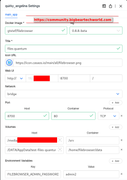
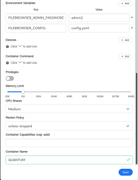
If You are not familiar with this file, here are screens how to setup it in casaOS web UI:
this worked almost really well. i really appreciate it. but the config.yaml thing seems to be useless still. I need to make it work so i can change the maxArchiveSize and other stuff but it doesnt seem to work. Any idea as to what is going on? doing a search on my system i still find the config.yaml chilling in a random folder, editing it or trying to move it breaks the container. so im really at a loss here lol
Hi.
Docs mentions absolute path to config.yaml:
/path/to/your/config.yaml:/home/filebrowser/data/config.yaml
Stop container app, modify Settings (volumes) and run container again.